Buyer message in, reply out.
Drop in the customer note and the shop context. ReplyCraft returns a ready-to-send message in the tone your shop already uses.
Etsy inbox copilot
ReplyCraft turns the exact customer note, your shop voice, and order context into a ready-to-send answer. It is narrow on purpose: fast replies, saved drafts, and an upgrade path once the cache starts saving time.
Common reply types
shipping, custom order, sizing
Monthly plan
per shop after the free tier
One useful action
signup to reply draft
Buyer message
“Hi, I ordered the navy mug last week and wanted to check if you can still change the name on the custom label.”
Shop notes
Warm, concise, handmade-shop tone. Keep the answer practical and protect the fulfillment promise.
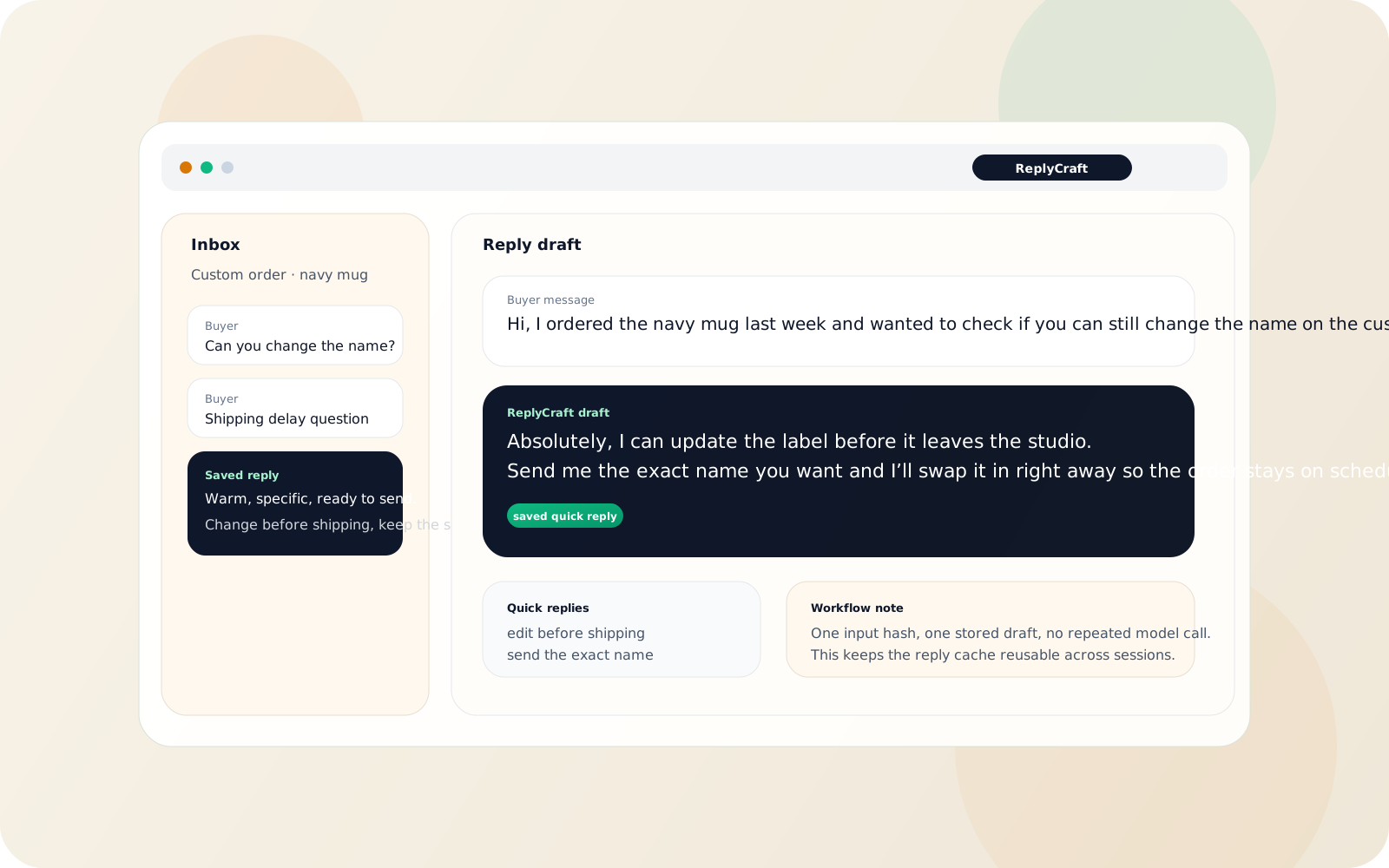
A live draft cache, not a placeholder dashboard.
What it handles
Drop in the customer note and the shop context. ReplyCraft returns a ready-to-send message in the tone your shop already uses.
Every useful draft is cached by input hash so the same message does not burn another generation.
The first useful reply leads straight into the $19/mo shop plan and a clear upgrade path.
If a reply feels off, sellers can send feedback from the studio and keep moving.
Workflow
The live app keeps the flow narrow: collect an email, move the seller into the studio, draft the reply, and save the output so the next similar message is instant.
Paste the buyer message
Capture the exact customer wording and any order details that change the answer.
Set the shop voice
Tell ReplyCraft how the shop sounds so the draft stays human and on-brand.
Save the reply
The draft is stored for reuse, which turns a one-off prompt into a quick reply asset.
Reply preview
Buyer
Can you change the label name before shipping? I need it for a birthday gift.
ReplyCraft
Absolutely, I can update the label before it leaves the studio. Send me the exact name you want and I’ll swap it in right away so the order still stays on schedule.
Saved reply chips
Pricing
The first live slice is meant to prove the value moment: a seller pastes a message, gets a reply, saves it, and moves on. The paid path is clear without hiding the product behind a long funnel.
Shop plan
$19
/ month per shop
FAQ
It is built around Etsy inbox work: shop voice, buyer messages, saved replies, and a direct upgrade path after the first useful draft.
Yes. The live app caches replies by the exact input hash so repeated messages reuse the stored draft.
Use the studio feedback form or the support email link. Replies are meant to be edited, not blindly accepted.
Support
Use the studio feedback form after signup or email support directly. The first launch is intentionally narrow, but the support path is real and easy to reach.